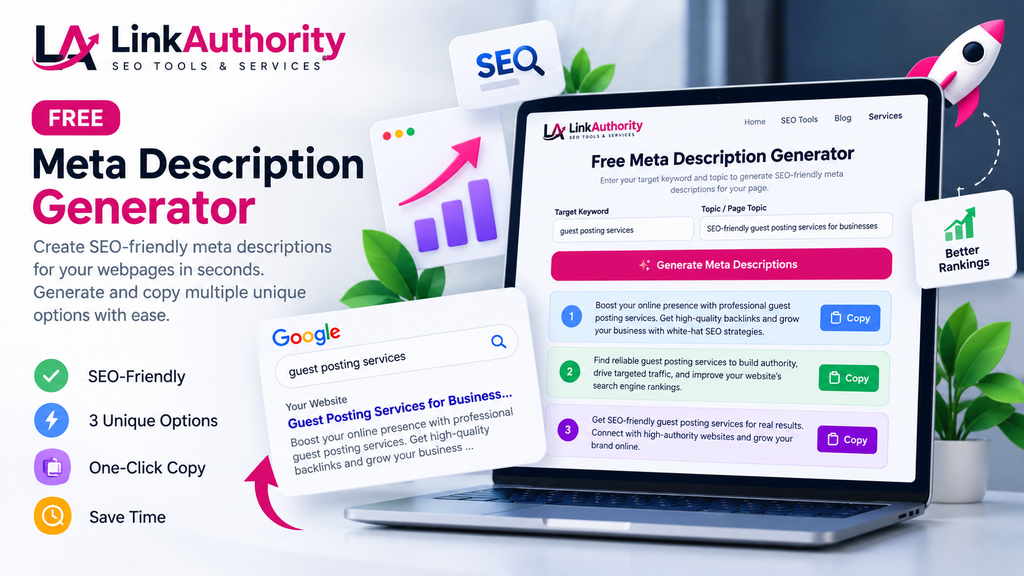
Write better meta descriptions for your website with our free SEO tool.
Enter your target keyword and a short description of your webpage to create an SEO-friendly meta description. A clear, relevant meta description can help users understand your page before visiting it from Google search results.
How to use this tool:
- Enter your target keyword.
- Describe what your webpage is about.
- Generate a meta description.
- Copy the result and review it before publishing.
What Is a Meta Description?
A meta description is a short summary of a webpage that can appear below its title in Google search results. It helps users understand what a page offers before clicking on it.
A clear, relevant meta description can encourage people to visit your website. Google may sometimes generate a different snippet from the page content, so your written description is not guaranteed to appear exactly as submitted.
How to Write a Good Meta Description
Follow these tips to write useful, SEO-friendly meta descriptions:
- Describe the page accurately: Explain what visitors will find on the page.
- Include your main keyword naturally: Use your target keyword where it fits the sentence.
- Highlight the benefit: Tell readers how the page or tool can help them.
- Make every description unique: Avoid using the same description across multiple pages.
- Write for people first: Use clear, natural language instead of repeating keywords.
- Match the page content: Do not promise information or features that the page does not provide.
There is no fixed character limit that guarantees a perfect meta description. As a practical starting point, aim for around 140–160 characters, then review how the snippet may appear in search results.
How to Use Our Free Meta Description Generator
Our free Meta Description Generator helps you create description ideas for your webpages quickly.
- Enter your webpage topic or the information requested by the tool.
- Add your target keyword and other details, if requested.
- Generate the available description options.
- Review the suggestions and choose the one that best matches your page.
- Copy your preferred description and add it to your webpage using your SEO plugin or website settings.
- Check that the final description accurately represents the page.
Always review generated text before publishing it. Make sure it is original, relevant and factually correct.
Meta Description Examples
Example 1: SEO Tool
Topic: Free Website SEO Checker
Example description: Check important SEO factors on your website with our free SEO checker. Identify potential issues and discover opportunities to improve your pages.
Example 2: Guest Posting Service
Topic: Guest Posting Services
Example description: Explore guest posting services for relevant websites. Discover outreach opportunities that support your content marketing and link-building goals.
These are example descriptions. Adjust the wording to match the actual content and services offered on your website.
Frequently Asked Questions
1. What is the ideal length of a meta description?
There is no strict character limit. Search snippets are displayed according to available space and other factors. Around 140–160 characters can be a useful starting point, but Google may shorten or rewrite the text.
2. Do meta descriptions directly improve Google rankings?
Meta descriptions are not a direct Google ranking factor. However, a useful and relevant description may help searchers understand your page and decide whether to click.
3. Can Google change my meta description?
Yes. Google may create a search-result snippet from the page content when it considers that text more relevant to a user’s query.
4. Should every page have a unique meta description?
For important pages, unique and accurate descriptions are recommended. They help explain how each page differs from other pages on your website.
5. How do I add a meta description in WordPress?
Open the page in your WordPress editor, find your SEO plugin’s settings, and enter the description in its meta description field. Save or update the page and check that the description matches the published content.
6. Is this Meta Description Generator free?
You can use the free tool on this page to generate description ideas. Review the options before using them on your website.
Improve Your Website SEO
A good meta description is one part of a broader SEO strategy. Review your page titles, headings, internal links, useful content and technical SEO as well.
Explore More SEO Tools & Resources
Improve your website’s SEO, discover link-building opportunities, and learn practical strategies with LinkAuthority.
Explore outreach and link-building services for your website.
Explore Services → Free Website SEO CheckerCheck important SEO factors and identify potential website issues.
Check Your Website → SEO & Guest Posting BlogRead practical SEO tips, guest posting guides, and link-building advice.
Read the Blog →