
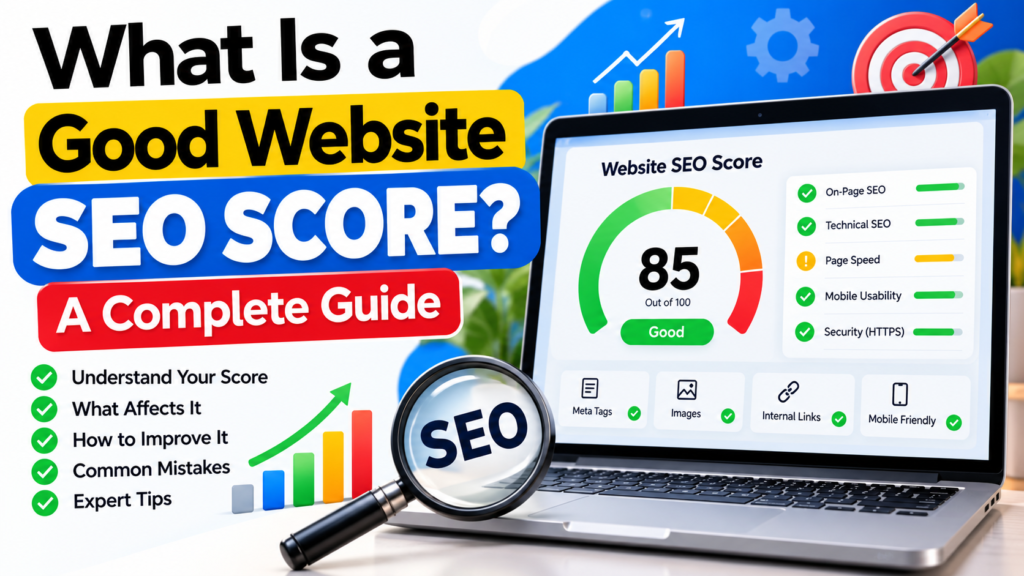
If you have ever run your website through an SEO audit tool, you may have seen a score such as 55, 75, 85, or 95. This often leads to an important question: What is a good website SEO score?
A website SEO score is a measurement used by SEO tools to estimate how well a website or webpage follows certain technical and on-page SEO best practices. It can help identify problems such as missing meta descriptions, broken links, missing image alt text, slow-loading pages, technical issues, and other SEO opportunities.
Generally, a higher SEO score means that fewer of the issues checked by a particular SEO tool were detected. However, an SEO score is not the same thing as a Google ranking score.
A website can have a high SEO score and still need improvements in content quality, backlinks, search intent, authority, and other areas that influence organic search visibility.
In this guide, we will explain what a good website SEO score means, what affects your score, how to improve a low score, and how you can check your website SEO for free.
What Is a Website SEO Score?
A website SEO score is a numerical assessment generated by an SEO audit tool.
SEO tools check different aspects of a website and assign points based on the issues they detect. The exact scoring system varies from one tool to another.
For example, an SEO audit may check:
- Page titles
- Meta descriptions
- Headings
- Image alt text
- Internal links
- Broken links
- HTTPS
- Mobile usability
- Page performance
- Technical SEO elements
- URL structure
- Content-related signals
The score is useful because it gives website owners a quick way to identify potential SEO problems.
However, you should not focus only on the number.
For example, improving your score from 70 to 90 can be useful if you fixed important technical problems. But a score of 90 does not automatically mean that your website will rank higher than a competitor with a score of 80.
SEO scores are diagnostic tools, not guarantees of Google rankings.
What Is a Good Website SEO Score?
There is no single universal SEO score that Google defines as “good.”
Different SEO tools use different scoring systems and evaluate different factors. Therefore, a score should always be interpreted according to the tool that generated it.
As a general interpretation for many 0–100 SEO audit systems:
| SEO Score | General Interpretation |
|---|---|
| 90–100 | Strong technical/on-page health with fewer detected issues |
| 70–89 | Generally good, but there may be areas to improve |
| 50–69 | Several SEO issues may require attention |
| Below 50 | More significant issues may need to be addressed |
These ranges should be treated as general guidelines rather than official Google benchmarks.
The most important question is not:
“Do I have a score of 100?”
Instead, ask:
“What SEO problems did my audit find, and which ones should I fix first?”
That approach gives you much more useful information.
What Factors Affect Your SEO Score?
Your SEO score can be affected by many different factors. The exact factors depend on the SEO audit tool you are using.
Here are some common areas that can influence an SEO audit.
Page Title
Your page title helps search engines and users understand what a webpage is about.
A useful title should accurately describe the page and naturally include the main topic or keyword when appropriate.
Avoid unnecessarily long, repetitive, or misleading titles.
Meta Description
A meta description provides a summary of a webpage.
Although it is not simply a direct “ranking score,” a clear and relevant description can help users understand what they can expect from the page in search results.
Headings
Headings such as H1, H2, and H3 help organize your content.
A well-structured page should have a clear main heading and logical subheadings that make the content easier to understand and navigate.
Image Alt Text
Images should have descriptive alternative text when appropriate.
For example, instead of:
image123.jpg
a relevant description could be:
SEO audit dashboard showing website score
Alt text can also improve accessibility and help search engines understand the context of images.
Internal Links
Internal links connect pages on your own website.
For example, this article can link to your guide:
How to Check Your Website SEO Score: A Complete Guide
Internal linking helps users discover related content and helps search engines understand the relationship between pages on your website.
Broken Links
Broken links can create a poor user experience.
Regularly checking your website for broken or incorrect links can help maintain a healthier website structure.
HTTPS
A website should use HTTPS to provide a secure connection between the visitor and the website.
Most modern websites should already use HTTPS, especially websites that collect forms or other user information.
Mobile Usability
A large number of people access websites using mobile devices.
Your website should therefore be easy to read and navigate on smartphones and tablets.
Website Performance
Page loading performance can affect user experience and is also relevant to technical SEO.
Large images, unnecessary scripts, poor hosting configuration, and other technical issues can contribute to slower pages.
Is a 100 SEO Score Necessary?
No.
A perfect SEO audit score is not a requirement for ranking in Google.
SEO audit tools are designed to identify potential problems and opportunities. Their scoring systems are not Google’s ranking system.
For example, a website with a score of 100 could still have:
- Weak content
- Poor search intent matching
- Few relevant backlinks
- Low topical authority
- Poor user experience
- Content that does not satisfy searchers
Similarly, a website with a lower technical SEO score can sometimes rank well because it has strong content, authority, relevance, and other positive signals.
Therefore, instead of trying to achieve a perfect number, focus on fixing meaningful problems and improving the overall quality of your website.
How to Check Your Website SEO Score
One of the easiest ways to understand your website’s current SEO health is to run an SEO audit.
You can use the LinkAuthorityWeb Free Website SEO Checker to analyze your website and identify potential SEO issues.
How to check your SEO score:
Step 1: Open the Free Website SEO Checker.
Step 2: Enter your website URL.
Step 3: Start the SEO audit.
Step 4: Review your SEO score and audit results.
Step 5: Identify the most important issues.
Step 6: Fix the problems and run another audit later.
Check Your Website SEO for Free
Check Your Website SEO Score with Our Free SEO Checker
Your SEO udit can help you understand which areas of your website may need attention before you start making improvements.
How to Improve a Low SEO Score
If your website receives a low SEO score, don’t panic.
An audit is useful because it gives you a starting point.
Here are some practical steps you can take.
1. Fix Missing Page Titles
Make sure important pages have descriptive and relevant titles.
Each important page should have a title that accurately represents its content.
2. Improve Meta Descriptions
Write clear descriptions that explain what users will find on the page.
Avoid stuffing the description with keywords.
3. Improve Heading Structure
Use one clear main heading and organize supporting information with relevant subheadings.
This makes long content easier to scan.
4. Add Relevant Internal Links
Connect related pages on your website.
For example, your SEO articles can link to your Free Website SEO Checker, while service pages can link to relevant educational articles.
5. Optimize Images
Compress unnecessarily large images and use descriptive filenames and appropriate alt text.
This can help improve page performance and accessibility.
6. Fix Broken Links
Check your website regularly for broken internal and external links.
Replace outdated URLs or remove unnecessary links.
7. Improve Mobile Experience
Open your website on a smartphone and check:
- Is the text easy to read?
- Are buttons easy to tap?
- Does the page fit the screen?
- Is navigation easy?
- Do images display correctly?
8. Improve Content Quality
Technical SEO is only one part of SEO.
Create useful content that directly answers the questions your audience is searching for.
Avoid writing content simply to increase word count.
9. Improve Website Performance
Review large images, unnecessary plugins, scripts, caching, and hosting configuration if your website is slow.
10. Build Relevant Authority
For competitive topics, technical improvements alone may not be enough.
A website may also need relevant, high-quality backlinks and genuine authority in its niche.
SEO Score vs Google Ranking: What’s the Difference?
This is one of the most important things to understand.
An SEO score from an audit tool is not a Google ranking score.
An SEO checker may evaluate dozens of technical and on-page factors and then convert its findings into a score.
Google, however, uses its own search systems and many different signals to determine which pages appear for particular searches.
Therefore:
High SEO score ≠ Guaranteed high Google ranking
And:
Low SEO score ≠ Guaranteed low Google ranking
Your goal should be to use an SEO audit as a diagnostic tool.
For example, if your audit identifies missing titles, broken links, poor image optimization, or technical problems, fixing those issues can improve your website’s overall quality.
But you should also consider content, relevance, search intent, user experience, website authority, and other SEO factors.
How Often Should You Check Your Website SEO?
There is no single schedule that every website needs to follow.
However, regularly reviewing your website can help you identify new problems.
You may want to perform an SEO audit:
- After launching a new website
- After a major website redesign
- After changing your WordPress theme
- After installing or removing important plugins
- After making major technical changes
- After publishing many new pages
- When organic traffic changes unexpectedly
- As part of regular SEO maintenance
You don’t need to obsess over your SEO score every day.
Instead, use audits as part of a broader SEO maintenance process.
Common SEO Score Mistakes to Avoid
Mistake 1: Chasing 100/100
A perfect score is not the ultimate goal of SEO.
Focus on meaningful improvements rather than simply increasing a number.
Mistake 2: Ignoring Content
Technical SEO cannot compensate for content that doesn’t answer the user’s question.
Mistake 3: Keyword Stuffing
Using a keyword excessively can make content difficult to read and may create a poor user experience.
Use keywords naturally.
Mistake 4: Ignoring Mobile Users
Always check how your website looks and works on smartphones.
Mistake 5: Focusing Only on Technical SEO
Technical health matters, but SEO also involves content, relevance, authority, links, and user experience.
Mistake 6: Making Too Many Changes at Once
If you change everything simultaneously, it becomes difficult to determine which changes actually improved your website.
Fix important issues systematically and monitor the results.
SEO Score Improvement Checklist
Use this checklist when reviewing your website:
- Page titles are descriptive
- Meta descriptions are relevant
- Pages have a clear H1
- Content uses logical headings
- Images have appropriate alt text
- Important pages are internally linked
- Broken links are fixed
- Website uses HTTPS
- Website works well on mobile devices
- Images are optimized
- Important pages load efficiently
- Content matches search intent
- Website provides useful information
- Relevant backlinks are being built
- SEO problems are monitored regularly
Frequently Asked Questions
What is a good website SEO score?
A score around 70–89 is often considered generally good in many 0–100 SEO audit systems, while 90–100 indicates fewer detected issues. However, these ranges are only general guidelines because every SEO tool uses its own scoring methodology.
Is 80 a good SEO score?
An 80 can indicate that a website has relatively good SEO health according to many audit tools. However, you should review the individual recommendations instead of focusing only on the number.
Is a 100 SEO score necessary?
No. A 100 SEO audit score is not required to rank in Google. SEO audit scores are third-party diagnostic measurements and should not be confused with Google’s ranking systems.
Does SEO score affect Google rankings?
An SEO audit score itself does not directly determine your Google ranking. However, fixing genuine technical and on-page problems identified during an audit can improve aspects of your website’s overall SEO health.
How can I improve my website SEO score?
Start by reviewing your audit results. Fix important technical issues, improve titles and descriptions, optimize images, add relevant internal links, fix broken links, improve mobile usability, and publish useful content that satisfies search intent.
How often should I check my website SEO?
You can perform an SEO audit after major website changes and periodically as part of your SEO maintenance process. The ideal frequency depends on how often your website changes.
Can I check my website SEO for free?
Yes. You can use free SEO audit tools to identify potential technical and on-page SEO issues. LinkAuthorityWeb also provides a Free Website SEO Checker that you can use to review your website’s SEO.
Final Thoughts
A good website SEO score is useful, but it should not be treated as the final goal of SEO.
The real purpose of an SEO audit is to discover problems and opportunities that can help you improve your website.
Instead of asking only “What is my SEO score?”, ask:
“What can I improve on my website today?”
Start by checking your website, identifying the most important issues, and fixing them step by step. Then continue improving your content, technical SEO, internal linking, user experience, and website authority.
If you want to identify potential SEO issues without paying for an audit, try the LinkAuthorityWeb Free Website SEO Checker and use the results as a starting point for your SEO improvement strategy.