A website can have great content and attractive design, but if search engines cannot properly crawl, understand, and index it, getting organic traffic can be difficult.
This is where an SEO audit becomes useful.
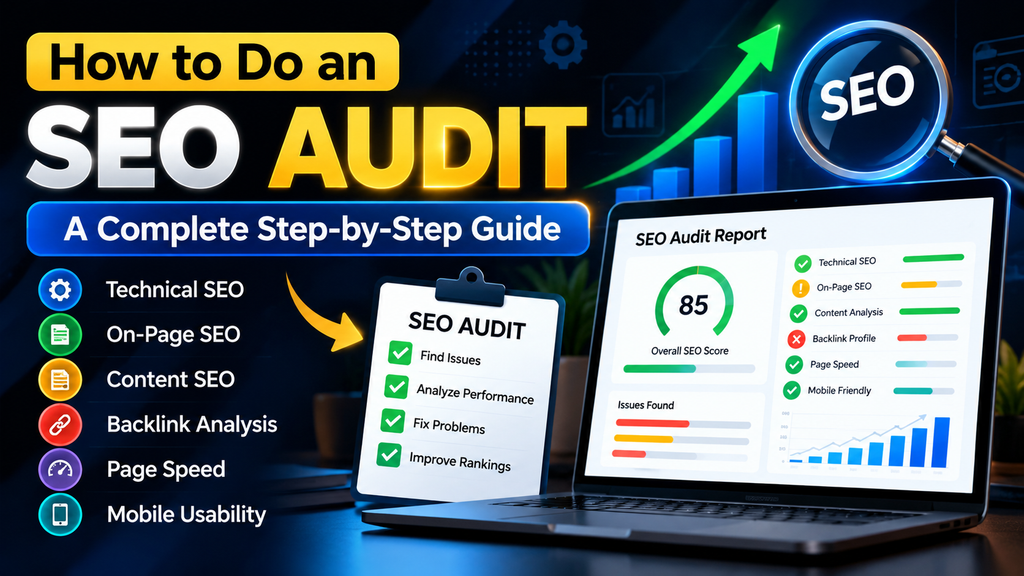
An SEO audit is a systematic review of your website to identify problems that may affect its search visibility, user experience, and overall SEO performance.
In this guide, you’ll learn how to perform an SEO audit step by step, what areas you should check, common SEO problems to look for, and how to prioritize your fixes.
What Is an SEO Audit?
An SEO audit is an evaluation of a website’s search engine optimization.
It examines different areas of your website, including:
- Technical SEO
- On-page SEO
- Content quality
- Website structure
- Internal linking
- Mobile usability
- Page speed
- Indexing
- Metadata
- Backlinks and off-page SEO
The purpose is not simply to find problems. The goal is to understand which issues may be limiting your website’s search visibility and what you can do to improve them.
Why Is an SEO Audit Important?
Search engines use many different signals to understand and rank webpages.
Even small technical or on-page problems can make it harder for search engines to crawl or understand your content.
Regular SEO audits can help you:
- Find technical SEO problems
- Identify missing or weak metadata
- Improve website structure
- Discover broken links
- Improve internal linking
- Check indexing issues
- Identify content gaps
- Improve user experience
- Find opportunities for better organic visibility
An audit is especially useful when launching a new website, redesigning an existing site, experiencing a traffic decline, or starting a new SEO campaign.
How to Do an SEO Audit Step by Step
Let’s look at the main steps involved in a website SEO audit.
1. Check Website Indexing
The first thing you should check is whether search engines can actually index your important pages.
If an important page is not indexed, it may not appear in organic search results.
You can check indexing through Google Search Console.
Search Console can help you understand whether Google has discovered and indexed your pages and whether there are indexing-related issues.
Check important pages such as:
- Homepage
- Services pages
- Blog posts
- Contact page
- Important landing pages
Avoid unnecessarily indexing pages that do not provide useful search value, such as certain utility or duplicate pages.
2. Check Your Website’s Technical SEO
Technical SEO helps search engines crawl and understand your website.
During an SEO audit, check:
HTTPS
Make sure your website uses HTTPS and that important pages load securely.
Your website should consistently use the preferred HTTPS version rather than having multiple versions of the same page.
Robots.txt
Check whether your robots.txt file accidentally blocks important areas of your website from being crawled.
XML Sitemap
Make sure your website has an XML sitemap and that important URLs are included.
The sitemap can help search engines discover your site’s important pages.
Canonical URLs
Check whether important pages have appropriate canonical URLs.
Canonicalization helps search engines understand which URL should be considered the primary version when similar or duplicate URLs exist.
3. Check Page Titles and Meta Descriptions
Every important page should have a useful and descriptive SEO title.
A good title should:
- Clearly describe the page
- Be relevant to the search intent
- Naturally include the primary keyword when appropriate
- Encourage users to click
For example:
Weak title:Services
Better title:Guest Posting Services | White-Hat Link Building
Your meta description should provide a concise summary of the page and encourage relevant users to visit it.
Avoid stuffing keywords into titles or descriptions.
4. Review Your Headings
Headings help users and search engines understand the structure of your content.
Your main page topic should normally have a clear H1 heading.
Then use H2 and H3 headings to organize supporting sections.
For example:
H1:
SEO Audit Guide
H2:
What Is an SEO Audit?
H2:
Why Is an SEO Audit Important?
H2:
How to Perform an SEO Audit
H3:
Check Technical SEO
H3:
Review On-Page SEO
This makes long content easier to scan.
5. Analyze Your Content
Content is one of the most important areas to review during an SEO audit.
Ask yourself:
- Does the page answer the user’s question?
- Is the information useful?
- Is the content original?
- Does it satisfy search intent?
- Are important topics explained clearly?
- Is the content outdated?
- Are there unnecessary sections?
- Does the page provide enough detail for the topic?
Don’t focus only on word count.
A 1,000-word article that completely answers the user’s question can be more useful than a 3,000-word article filled with unnecessary information.
Focus on helpfulness, relevance, accuracy, and readability.
6. Check Keyword Usage
Keywords help search engines understand what your content is about.
However, keywords should be used naturally.
Your primary keyword can appear in relevant locations such as:
- SEO title
- Meta description
- H1
- Introduction
- Relevant H2 headings
- Body content
- URL when appropriate
- Image alt text when descriptive and relevant
Avoid repeating the same keyword unnaturally.
For example, instead of writing:
SEO audit is important because SEO audit helps with SEO audit and SEO audit can improve SEO audit…
Write naturally for the reader.
7. Improve Internal Linking
Internal links connect one page of your website to another page on the same website.
They can help users discover related information and help search engines understand the relationship between pages.
For example, this article can naturally link to your:
Free Website SEO Checker
You can write:
Want to quickly identify common SEO issues on your website? Try our Free Website SEO Checker to get an SEO report.
You can also link relevant articles together.
For example:
Guest Posting article → SEO Audit article
and
SEO Audit article → Free SEO Checker
This creates a useful content ecosystem.
8. Check Images and Alt Text
Images can improve the user experience, but they should also be properly optimized.
During an SEO audit, check:
- Are images relevant?
- Are image file sizes reasonable?
- Are images loading properly?
- Do important images have descriptive alt text?
- Are unnecessarily large images slowing down the page?
Alt text should describe the image when appropriate.
For example:
Poor:image123.jpg
Better:SEO audit report showing website performance issues
Don’t use alt text simply to stuff keywords.
9. Check Mobile-Friendliness
A large portion of web traffic comes from mobile devices.
Open your website on a smartphone and check:
- Is the text easy to read?
- Are buttons easy to tap?
- Does the content fit the screen?
- Are menus working?
- Are forms usable?
- Are images properly sized?
- Is horizontal scrolling occurring?
A page that looks good on desktop may still have usability problems on mobile.
10. Check Page Speed
Page speed can affect user experience and is an important part of technical SEO.
Check important pages using tools such as Google PageSpeed Insights.
Look for issues involving:
- Large images
- Unused resources
- Excessive scripts
- Slow server response
- Render-blocking resources
- Poorly optimized media
Don’t blindly install multiple optimization plugins.
Make changes carefully and test the website after each major optimization.
11. Find Broken Links
Broken links can create a poor experience for visitors.
During your audit, check:
- Internal links
- External links
- Broken pages
- Incorrect URLs
- Links pointing to deleted content
If an important internal link is broken, update it to the correct page.
If a page has permanently moved, use an appropriate redirect when necessary.
12. Review Your URL Structure
A good URL should be relatively short, descriptive, and understandable.
For example:
Better:
example.com/how-to-do-an-seo-audit/
Instead of:
example.com/page?id=83749&category=seo
Avoid unnecessarily changing existing URLs, especially when they are already indexed and receiving traffic.
If you need to change an established URL, plan the redirect properly.
13. Check Your Backlink Profile
Backlinks are links from other websites pointing to your website.
During an SEO audit, review:
- Number of referring domains
- Relevance of linking websites
- Quality of backlinks
- Anchor text
- Potentially harmful or unnatural links
- Competitor backlink opportunities
Quality and relevance matter more than simply collecting a large number of backlinks.
For example, a relevant technology website linking to a technology-related article may provide more contextual value than an unrelated website.
14. Analyze Competitors
Competitor research can reveal content and link-building opportunities.
Look at competing websites and identify:
- Topics they cover
- Keywords they target
- Content formats
- Internal linking structures
- Backlink opportunities
- Pages receiving organic visibility
Don’t simply copy competitors.
Instead, use competitor research to identify topics and opportunities that your website can address more usefully.
15. Check Your Website’s E-E-A-T Signals
For websites that publish informational or professional content, trust and transparency are important.
Make sure your website clearly communicates:
- Who operates the website
- What services you provide
- How users can contact you
- Relevant author information where appropriate
- Privacy information
- Terms and conditions
- Clear business/service information
An About Us page and a clear Contact page can help users understand who is behind a website.
Common SEO Audit Problems
Some common issues found during website audits include:
- Missing meta descriptions
- Duplicate or poorly written title tags
- Missing H1 headings
- Broken internal links
- Slow-loading pages
- Large unoptimized images
- Poor mobile layout
- Thin or outdated content
- Poor internal linking
- Indexing problems
- Incorrect canonical URLs
- Missing alt text
- Poor URL structures
- Weak website navigation
- Low-quality or irrelevant backlinks
You don’t necessarily need to fix everything at once.
Prioritize problems that have the biggest potential impact on users and search engine accessibility.
How to Prioritize SEO Issues
After completing your audit, divide issues into three groups.
High Priority
Fix issues such as:
- Important pages not being indexed
- Major technical errors
- Broken important pages
- Serious mobile usability problems
- Incorrect canonicalization
- Website accessibility problems
Medium Priority
Work on:
- Internal linking
- Metadata improvements
- Image optimization
- Content improvements
- Heading structure
Low Priority
These can include smaller improvements that don’t prevent users or search engines from accessing your important content.
This approach prevents you from becoming overwhelmed by a long SEO audit report.
Use a Free SEO Checker
Manually checking every SEO factor can take considerable time.
If you want a quick starting point, you can use our Free Website SEO Checker to analyze your website and identify common SEO issues.
👉 Check Your Website SEO for Free
After receiving your report, review the issues and prioritize the most important problems first.
What Should You Do After an SEO Audit?
An SEO audit is only useful if you act on the findings.
After completing your audit:
Step 1
Fix critical technical problems.
Step 2
Improve important page titles and meta descriptions.
Step 3
Improve weak or outdated content.
Step 4
Build a logical internal linking structure.
Step 5
Optimize images and improve page performance.
Step 6
Work on relevant, high-quality backlinks.
Step 7
Monitor your website through Google Search Console and other SEO tools.
SEO is an ongoing process rather than a one-time task.
Final Thoughts
A regular SEO audit can help you understand how well your website is performing and identify areas that need improvement.
Instead of trying to fix everything simultaneously, start with the issues that have the greatest effect on crawling, indexing, usability, content quality, and search visibility.
Use your audit as a roadmap for improving your website over time.
If you want to quickly check your website, try our Free Website SEO Checker and use the results to identify areas that may need attention.
Need professional help with your SEO?
If your audit reveals problems that you’re not sure how to fix, you can also contact LinkAuthorityWeb for SEO, blogger outreach, guest posting, and link-building services.
👉 Request a Free SEO Consultation
FAQ
What is an SEO audit?
An SEO audit is a detailed review of a website to identify technical, on-page, content, usability, and off-page SEO issues that may affect its search visibility.
How often should I perform an SEO audit?
There is no single schedule that fits every website. A website can be reviewed regularly and also audited after major redesigns, migrations, or significant SEO changes.
Can I do an SEO audit for free?
Yes. You can perform many basic SEO checks using free tools such as Google Search Console and free website SEO checkers.
Does an SEO audit improve Google rankings automatically?
No. An audit identifies potential issues and opportunities. Rankings may improve only after relevant problems are properly addressed, and SEO results can take time.
What is the difference between an SEO audit and an SEO strategy?
An SEO audit evaluates the current state of a website. An SEO strategy uses those findings to plan what should be improved and how SEO activities should be prioritized.